
Why Debian Is Still the King of Linux
Why Debian Is Still the King of Linux

Every few years someone writes a headline declaring Debian obsolete -- too slow, too conservative, too stubborn to keep up with the Fedoras and the Arches of the world. And every few years the numbers tell the same story: Debian is still there, still underneath everything, still the foundation the rest of the ecosystem builds on.
This article asks why. Not with nostalgia, but with facts, quirks, and a few hard-won opinions from practitioners who stake their uptime on it.
The numbers
Debian holds approximately 16% of the Linux server market in stability-focused deployments, behind RHEL (43.1%) and Ubuntu (33.9%)[1]. That number alone undersells the real picture. W3Techs data from late 2025 puts Debian at 16.8% of Linux-powered web servers -- ahead of CentOS at 8.2%[2].
But here's the part most people miss: Ubuntu is Debian. Every Ubuntu release is built on a Debian snapshot. When Canonical ships an LTS, the package graph traces back to Debian's testing and unstable branches. Mint, Pop!_OS, Kali, Raspberry Pi OS, Proxmox, TrueNAS SCALE -- all Debian derivatives. Count the children and Debian's effective footprint covers well over half of the Linux server landscape.
Then there's Docker. Debian is the default base image for Docker's official library. The debian:stable image on Docker Hub is built from the "minbase" variant -- only "required" packages, smallest possible footprint that's still Debian.[3]. Thousands of official and community images are layered on top of it. When people say "Alpine is taking over," the data shows Debian still leads in official images, with Alpine and Ubuntu trailing behind.[4].
The social contract
Most Linux distributions have a philosophy. Debian wrote it down, ratified it by vote, and has enforced it for 29 years.
The Debian Social Contract, first ratified July 5, 1997 (current version 1.2, October 2022), makes five promises[5]:
- Debian will remain 100% free. The system will never require a non-free component.
- We will give back to the free software community. Bug fixes, improvements, and user requests go upstream.
- We will not hide problems. The entire bug-tracking system is public, always.
- Our priorities are our users and free software.
- We support users who use non-free software on Debian -- but the system itself stays free.
The Debian Free Software Guidelines (DFSG), written as part of this contract, became the basis of the Open Source Definition published by the Open Source Initiative.[5]. The definition that governs the entire open-source industry was born inside the Debian project.
This isn't trivia. It's the reason Debian behaves the way it does -- the conservatism, the long freeze cycles, the refusal to ship non-free firmware by default until Debian 12 (and even then, as a separate installer image). Every controversial decision the project makes can be traced back to these five lines.
Debian on the server
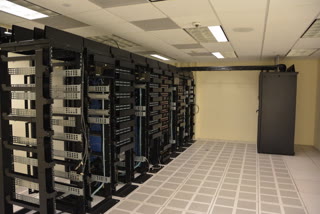
This is where Debian's philosophy pays the most obvious dividends.
A Debian stable release freezes packages for roughly two years before release, then receives security patches for three years of full support plus two years of LTS -- five years total. Debian 13 "Trixie," released August 9, 2025, will receive security updates until 2030.[6].
That freeze cycle is the feature, not the bug. When you deploy Debian stable on a production server, you know:
- No surprise ABI breaks. Library versions don't change mid-cycle.
- No surprise service restarts. Packages are patched in place, not replaced wholesale.
- No vendor lock-in. No subscription, no phone-home, no compliance dashboard.
apt update && apt upgradeand you're done.
Enterprise and mainframe
Debian runs on IBM System z (s390x) and has for over two decades. The Debian 13 architecture list includes amd64, arm64, armhf, ppc64el, riscv64 (new in Trixie), and s390x.[6]. That RISC-V addition is notable -- Debian is the first major distribution to ship official riscv64 packages in a stable release.
On IBM Z mainframes, organizations have consolidated hundreds of distributed x86 servers into a handful of z/VM LPARs running Linux guests -- typically SUSE or Debian -- achieving 85%+ CPU utilization versus the 5-20% average of distributed servers[7]. The argument for Debian over SUSE on these platforms is the same as everywhere else: no licensing cost, no vendor dependency, same package quality.
The "boring" advantage
The best production servers are the ones you forget about. Debian stable is engineered for exactly this. There's a reason Proxmox (the most popular open-source hypervisor) is built on Debian, not Ubuntu or Fedora. There's a reason TrueNAS SCALE chose Debian as its base. Boring is a feature when the alternative is a 3 AM page because a rolling update changed the default behavior of systemd-resolved.
Debian on the desktop
Here's where the conversation gets honest.
Debian stable is not the best desktop distribution for most users. The packages are old by the time they ship -- Trixie launched in August 2025 with GNOME 48, the same version Fedora had shipped that April, while Ubuntu 25.04 also carried GNOME 48 that spring. Fedora moved on to GNOME 49 in October 2025, and by the time you're reading this, GNOME 50 is current -- while Debian stable is still on 48.
And that's fine.
For users who want the latest desktop polish, Ubuntu, Fedora, or Arch will always be ahead. Debian doesn't pretend otherwise. But there's a substantial population of desktop users -- developers, writers, sysadmins who also use their workstation -- for whom "it just works and never breaks" outweighs "it has the latest animations."
KDE Plasma 6.3 on Debian 13 has been reviewed as remarkably stable[8]. Bluetooth, audio (PipeWire), network, and suspend/resume all work without the regressions that plague rolling-release KDE users. One reviewer who switched from KDE Neon (Ubuntu-based rolling KDE) to Debian stable described it as escaping "a process of constant fear" -- every KDE Neon update risked breaking something, while Debian just kept working[9].
The Debian desktop strategy for people who want newer software without leaving stable:
- Backports -- newer package versions rebuilt against stable's libraries. Solves the "I need a newer kernel for my GPU" problem.
- Flatpak -- the GNOME app ecosystem is increasingly Flatpak-first, so you can run the latest GNOME apps on a stable base.
- Snap -- works on Debian, though the community tends to prefer Flatpak.
- Testing/Sid on a secondary machine -- preview what's coming without risking production.
APT: the best package manager (with quirks)
apt is one of the oldest and most powerful package managers in existence. It predates yum, dnf, pacman, zypper, and every Flatpak/Snap/AppImage solution. It resolved dependencies automatically years before RPM-based distributions figured out how to do the same.
What makes it great
- Dependency resolution that actually works. Install a package, and everything it needs comes with it. Remove it, and
apt autoremovecleans up the orphans. - Pinning. You can mix repositories with fine-grained control -- pin a specific package to backports, hold another at a specific version, block a third from ever upgrading. No other package manager makes this as clean.
- Transactional awareness.
aptwon't leave your system in a half-installed state. If a transaction fails, it rolls back. - Reproducibility.
dpkg --get-selectionsanddpkg --set-selectionslet you replicate an exact package set across machines. Combined withpreseedorautoinstall, you can deploy identical Debian systems at scale.
The quirks you'll hit
Let's not pretend it's perfect.
Mixing releases is dangerous. Adding testing or unstable sources to a stable system is the single most common way people break Debian. The Debian wiki has an entire page called "DontBreakDebian" that boils down to: don't do this.[10]. If you need one newer package, use backports. If you need many, run testing.
apt vs apt-get vs aptitude. Three tools that do overlapping things with slightly different dependency resolution algorithms. apt is the modern default. apt-get is scriptable and stable. aptitude has a TUI and a more aggressive resolver. The official documentation recommends apt for interactive use and apt-get for scripts.[10].
Recommends are installed by default. apt install foo also installs everything foo recommends, which can pull in surprising amounts of software. --no-install-recommends is the escape hatch, and many experienced Debian users set APT::Install-Recommends "false"; globally.
The apt update / apt upgrade / apt full-upgrade distinction. upgrade won't install new packages or remove existing ones. full-upgrade will. For major version transitions, you need full-upgrade (or the old dist-upgrade). Getting this wrong leaves packages held back silently.
Non-free firmware. Until Debian 12, installing on hardware that needed proprietary firmware (most Wi-Fi cards, many GPUs) required a separate "unofficial" installer image. Debian 12 added non-free firmware to the official installer, but the repository split (non-free-firmware vs non-free vs contrib) still confuses newcomers.
Despite these quirks, apt remains one of the best package managers available. Used properly -- stick to stable, use backports for exceptions, don't mix releases, be deliberate about recommends -- it's rock-solid. The problems people blame on apt are almost always caused by violating these rules.
A note from the ALB Team
Members of the ALB Team have years of personal experience running Debian in production -- on servers, on development workstations, and on hardware where "it just has to work." We don't claim it's perfect. We claim it's the distribution we trust when the stakes are real.
We're working on a hands-on tutorial: How to Install and Use Debian -- a practical guide covering installation, first-boot configuration, backports, Flatpak, server hardening, and the apt workflow from a practitioner's perspective. Watch Special:News for the announcement.
Debian 13 Trixie: what's new
For completeness, here are the highlights of the current stable release (August 9, 2025)[6]:
| Component | Version |
|---|---|
| Linux kernel | 6.12 LTS |
| GCC | 14.2 |
| Python | 3.13 |
| glibc | 2.41 |
| OpenSSL | 3.5 |
| Apache | 2.4.64 |
| MariaDB | 11.8 |
| PostgreSQL | 17 |
| PHP | 8.4 |
| Node.js | 20.x |
| LLVM/Clang | 19 |
| LibreOffice | 25.2 |
| GIMP | 3.0.4 |
Notable changes:
- RISC-V 64-bit is officially supported for the first time.
- APT 3.0 brings cleaner dependency handling and error reporting.[11].
- 64-bit
time_ton all architectures except i386 -- the Year 2038 problem is solved. - Reproducible builds progress: check your installed packages with
debian-repro-status. - HTTP Boot support in the installer for UEFI and U-Boot firmware.
wcurlships alongsidecurlas a wget alternative.- i386 support reduced to co-architecture only (32-bit compat libraries on amd64). New standalone i386 installs are no longer supported.
- MIPS architectures removed.
Why Debian will still be here in 2036
Debian has no parent company. There is no Canonical, no Red Hat, no SUSE behind it. There is a constitution, a social contract, a project leader elected annually by developers, and a volunteer community that has sustained the project since 1993.
That's 33 years. Longer than most of the companies selling Linux support contracts.
The distributions that depend on corporate sponsors are always one acquisition, one pivot, one quarterly earnings call away from changing direction. CentOS learned this when Red Hat killed it overnight. SUSE learned it through two ownership changes. Ubuntu's future is Canonical's future.
Debian's future is its own. As long as there are people who believe a free operating system should exist and be maintained by its users, Debian will be maintained. That's not idealism. That's the track record.
Footnotes
- ↑ FOSSPost, "Linux Server Market Share Statistics", fosspost.org
- ↑ CommandLinux, "Systemd vs Init Usage Statistics Across Distributions," commandlinux.com
- ↑ Docker Hub, "debian" official image
- ↑ Weekly Geekly, "Statistics on Basic Operating Systems in Docker Hub Images," weekly-geekly.imtqy.com
- ↑ Debian Project, "Debian Social Contract", version 1.2, October 2022
- ↑ Debian Project, "Debian 13 “Trixie” released", August 9, 2025
- ↑ IBM Redbooks, "Practical Migration to Linux on System z", SG24-7727
- ↑ CozyNet, "Followup Review of KDE Plasma 6 on Debian 13," cozynet.org, May 2026
- ↑ Ivon's Blog, "From KDE Neon to Debian + KDE," ivonblog.com, 2025
- ↑ Debian Reference, "Chapter 2: Debian package management", debian.org
- ↑ FOSS Force, "We look at Debian 13.3 ‘Trixie’, the latest from the crown jewel of Linux distros", February 2026